The result is a higher monthly bill without a meaningful improvement in streaming performance. Understanding how internet speed relates to streaming can help you avoid overpaying and keep your setup efficient.
When streaming issues come up, such as buffering, lag, or poor quality, the first instinct is often to upgrade your internet plan. Faster speeds feel like the obvious solution. But in many cases, people are already paying for more speed than they actually need.
How Much Speed Streaming Really Uses
Streaming services do not require extreme internet speeds. Most platforms provide clear guidelines for what is needed.
Standard HD streaming typically requires around 5-10 Mbps per stream. 4K streaming usually falls between 15 and 25 Mbps per stream.
Even in a household with multiple users, the total requirement is often lower than expected. For example, three simultaneous 4K streams may use around 60-75 Mbps combined.
This means that many households can stream comfortably on plans well below the highest tiers offered by internet providers.
Read The Cost of Streaming in 4K vs HD before choosing higher video quality.
Why People End Up Overpaying
Internet plans are often marketed around maximum speed rather than actual usage. Higher numbers sound better, so people assume they need more bandwidth to avoid problems.
In reality, streaming performance depends on consistency and reliability, not just peak speed. A stable connection at a moderate speed often performs better than an unstable high-speed connection.
Behavioral patterns indicate that when faced with technical uncertainty, people tend to choose higher-tier options to avoid risk.
This leads to overpaying for capacity that is rarely used.
Learn How Much Does Streaming Really Cost on Your Internet Bill for the full cost picture.
The Difference Between Speed and Stability
Speed determines how much data can be transferred at once. Stability determines how consistently that data arrives.
Streaming requires a steady flow of data. If your connection is unstable, increasing speed may not solve the problem.
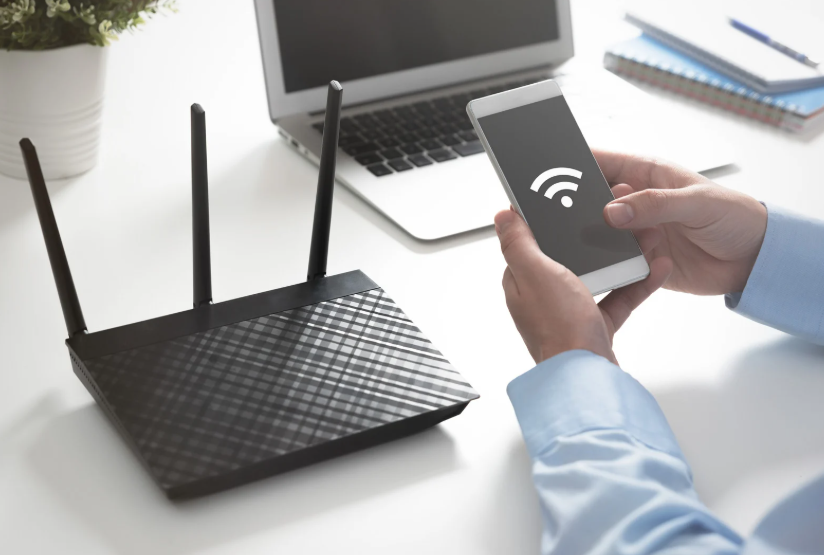
Issues such as Wi-Fi interference, router placement, or network congestion can affect performance more than speed alone.
Before upgrading your plan, it is important to determine whether the issue is due to bandwidth or something else in your setup.
Check Building the Ultimate Streaming Setup on Any Budget before changing hardware.
Matching Your Plan to Your Usage
The most efficient approach is to match your internet plan to your actual usage.
Start by estimating how many devices are streaming simultaneously and at what quality. Then compare that to your current plan’s capacity.
If your usage is well below your plan’s limit, you may be able to downgrade without affecting performance. This can reduce your monthly cost without changing your experience.
On the other hand, if you frequently exceed your plan’s capacity, an upgrade may be justified.
The key is to base the decision on real usage, not assumptions.
The Cost Impact of Overpaying for Speed
Even a small difference in monthly cost can add up over time. Upgrading from a mid-tier plan to a high-tier plan may add $20-$40 per month.
Over a year, that is $240 to $480. If the extra speed is not being used, that is money spent without a corresponding benefit.
When combined with other streaming-related expenses, this can significantly increase your total entertainment cost.
Reducing your internet plan to match your needs is one of the simplest ways to lower your overall spending.
Explore The Lifespan Cost of a Smart TV Setup before spending more on your setup.
When Higher Speeds Actually Make Sense
There are situations where higher speeds are beneficial. Large households with many connected devices, heavy gamers, or users who frequently download large files may need additional bandwidth.
Higher speeds can also help in homes with multiple simultaneous 4K streams or where many devices are active at once.
The key is to identify whether your usage truly requires it. If your streaming experience is smooth and consistent, higher speeds may not provide additional value.
Making a Smarter Internet Choice
Before changing your plan, test your current performance. Check your Internet speed, monitor your usage, and identify any issues.
If your connection is stable and meets your needs, consider downgrading. If you experience consistent problems, determine whether they are related to speed or other factors.
Efficiency comes from aligning your plan with your actual usage.
TV Wallet helps you see how your internet costs fit into your overall streaming setup, so you can avoid overpaying for speed you do not need.