The key to a cheap home streaming setup is to focus on what actually matters: reliable hardware, efficient subscriptions, and a system that avoids unnecessary upgrades.
Building a complete home streaming system does not have to be expensive. Many people assume they need the latest TV, the fastest internet, and every major subscription to get a good experience. In reality, you can create a fully functional, high-quality setup for a fraction of that cost.
Start With the Display You Already Have
The most expensive part of a streaming setup is usually the TV. The good news is that most modern TVs already deliver a solid streaming experience.
If your TV supports HD or 4K and has a working HDMI port, it is likely good enough. You do not need to upgrade to access streaming platforms.
Even older TVs can be used effectively with the right additions. The goal is to extend the life of your current hardware rather than replacing it prematurely.
Avoiding a new TV purchase is the single biggest way to keep your setup affordable.
See Do You Need a New TV to Stream Efficiently before replacing working hardware.
Add a Low-Cost Streaming Device
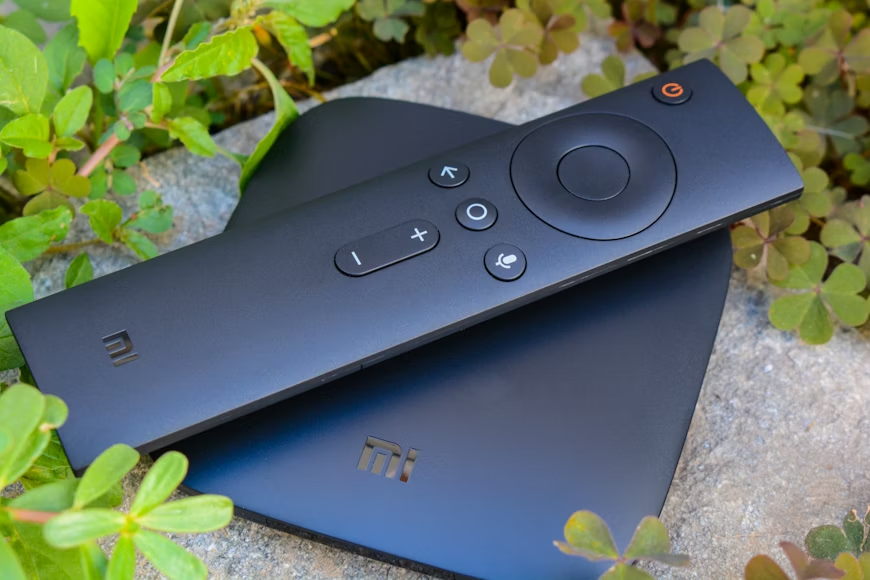
Instead of relying on built-in smart features, adding a dedicated streaming device is often the most cost-effective upgrade.
These devices are inexpensive, easy to install, and designed specifically for streaming. They provide faster performance, better app support, and more consistent updates than many built-in systems.
For under $50, you can significantly improve your streaming experience without replacing your TV.
This approach also gives you flexibility. If you want to upgrade in the future, you can replace the device rather than the entire system.
Compare Budget vs Premium Streaming Devices: What Do You Actually Gain? before upgrading your device.
Choose a Lean Subscription Stack
A complete setup does not require every streaming service. The most efficient approach is to keep a small number of core subscriptions and rotate others as needed.
For example, two or three core services can provide a strong foundation for most viewing habits. Adding a rotating service lets you access additional content without increasing your long-term costs.
Keeping your total under $50 per month is realistic with this approach. Over a year, that keeps your subscription cost at or below $500.
The goal is to match your subscriptions to your actual viewing, not to maximize the number of services you have.
Optimize Your Internet Plan
Your internet connection is a critical part of your streaming setup, but it does not need to be excessive.
Most households can stream comfortably on moderate-speed plans, even with multiple devices. Paying for the highest speed tier is often unnecessary.
Instead of upgrading, focus on stability. A reliable connection at the right speed is more important than maximum bandwidth.
Behavioral patterns show that people often upgrade to higher tiers to avoid potential issues, even when their current plan is sufficient.
Matching your plan to your actual usage can reduce costs without affecting performance.
Compare Internet Speed vs Streaming Cost: Are You Overpaying? to check plan value.
Avoid Unnecessary Add-Ons
Many streaming setups can become expensive due to add-ons and upgrades. Premium tiers, extra features, and additional services can quietly increase your total cost.
To keep your setup affordable, focus on what you actually use. If a feature does not meaningfully improve your experience, it may not be worth paying for.
This applies to both subscriptions and hardware. Avoid buying features you do not need simply because they are available.
A simpler setup is often more efficient and easier to manage.
A Sample Low-Cost Setup
A practical budget setup might include an existing TV, a $40 streaming device, and a subscription stack of $40 to $50 per month.
This provides access to a wide range of content, reliable performance, and a manageable monthly cost.
Over the course of a year, the total cost remains well below that of many traditional cable or high-end streaming setups.
Despite the lower cost, the experience can still be high quality and flexible.
Explore The Budget-Friendly Streaming Stack Under $50/Month for a lean subscription plan.
Building for Long-Term Value
The cheapest setup is not just about spending less upfront. It is about avoiding unnecessary costs over time.
By keeping your hardware simple, your subscriptions lean, and your internet plan aligned with your needs, you create a system that remains efficient year after year.
TV Wallet helps you maintain that efficiency by giving you a clear view of your total streaming costs, so you can make informed decisions and keep your setup affordable.